
EZY-LINK
eZY-Link
is
software that converts incoming electronic New Member & Contribution data files
received from Employers (in either Excel, Text Delimited File format) into data
suitable for uploading into your Superannuation Administration Software, with
minimal User interaction. With a minimal amount of customisation, eZY-Link
exports can be adapted to suit any Superannuation Administration software with
an import facility.
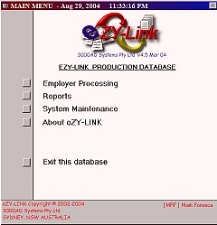
eZY-Link
has 3 basic
steps in achieving the desired result. These steps consist of:
STEP 1
Import
the incoming Employer files. Data provided by the Employer, need not be in any
particular order – as long as data supplied meets the minimum requirements and
file type is Excel, Text Delimited format. Separate files must be provided for
Contributions and New Members
STEP 2
-
For Contributions
Automated
Matching
of records to
existing Policy numbers and Validation of Member’s status –
Contributions for Exited Members are transferred to an Error Log table. The
matching process consists of multiple configurable “rules” that allow the User
to find most Policy numbers without the need to manually look them
up and insert them into the Employer’s incoming file.
-
For New Members
Validate/Review/Clean
New
Member file:- this process can ‘clean up’ and validate the data provided. Some
examples of ‘Data Cleaning’ include - correcting the case of Member’s name and
address details, add Salutation (Title) based on gender. Validations are done
on all dates like DOB (is it between 16 years and 70 years?), Date Joined Plan
cannot be in the past, Tax File No must be valid, among some of the validations
performed.
STEP 3
Export
The
final stage is to convert the data to a format suitable for electronic upload
into the Administration Software. To simplify periodic processing, eZY-Link
has a Fund set up screen which stores details of Employers as well as the
file format they send each period for New Members and